Drive-It is a short-haul transportation platform that connects users with on-demand pickup trucks and cargo vans driven by Service Providers to transport large personal cargo safely and efficiently within the community. Available 24/7, 7 days a week, Drive-It offers a convenient and secure hauling experience for customers.
For the Drive-It service, my primary responsibility was to design and optimize the driver registration process, ensuring a seamless onboarding experience for Service Providers. The goal was to enable drivers to register quickly and effortlessly while meeting compliance requirements.
The project began with defining a minimal, frictionless onboarding flow, prioritizing user-friendly navigation and efficiency. Key features included mandatory fields for personal and vehicle information, 2FA for security, and clear permission settings to ensure compliance and transparency.
Drive-It is a cutting-edge platform that connects drivers with transportation opportunities, offering a streamlined and user-friendly experience. As the platform grew, optimizing the driver registration process became crucial. The challenge was to create an efficient, compliance-friendly onboarding flow tailored for drivers on the go.
I joined as a UX/UI Designer during a pivotal expansion phase, focusing on reducing friction, enhancing usability, and ensuring compliance. Despite the short timeline, key achievements include:
✅ Simplified Onboarding Flow – Designed a frictionless experience, reducing registration time and improving completion rates.
✅ Enhanced Security – Implemented 2FA via text messaging, ensuring security without complexity.
✅ Optimized Usability – Conducted usability tests and iterated based on feedback for a more intuitive experience.
✅ Improved Collaboration – Worked closely with engineers and stakeholders to minimize technical constraints and streamline implementation.
✅ Scalable Design Solutions – Developed low-fidelity mockups & user flows, creating a foundation for future enhancements.
The Drive-It platform faced critical challenges in its driver registration process, impacting user experience, business growth, and platform security.
.jpg)
To address these challenges, we needed a holistic solution—one that simplified user onboarding, ensured regulatory compliance, and aligned with technical feasibility. This foundation guided the design of a streamlined, user-friendly, and secure registration process.
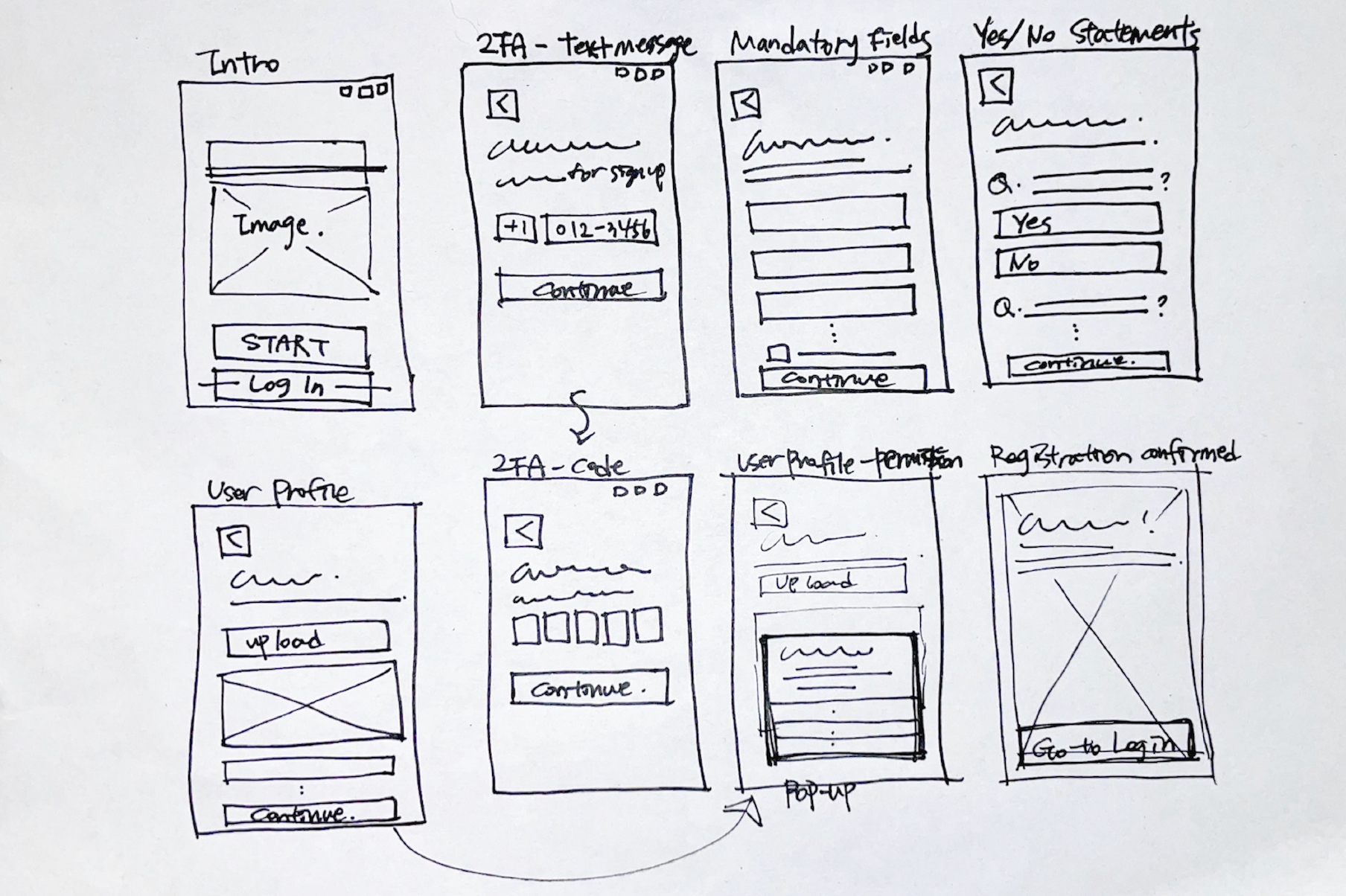
During the sketching session, I identified the critical components needed to create a seamless driver registration process. The goal was to balance user needs, business objectives, and technical feasibility to develop a Minimum Viable Product (MVP) that allows drivers to onboard quickly and efficiently.
✅ Start Registration – Drivers begin the process by agreeing to vehicle and document prerequisites.
✅ Secure Verification – Two-factor authentication (2FA via text) ensures secure account creation.
✅ Provide Information – A step-by-step process guides drivers through entering profile, vehicle, and banking details.
✅ Confirm Compliance – Drivers review and confirm permissions before finalizing registration.
✅ Test Usability – Real-time testing ensures a frictionless registration experience.
To support engineers in development, I created mockups and flow charts for:
By focusing on essential features, this MVP successfully simplified onboarding, reduced drop-off rates, and established a scalable structure for future enhancements.
While our MVP established a solid foundation, I wanted to explore how industry leaders tackled similar challenges. Conducting competitor research helped us uncover best practices and identify areas for improvement.
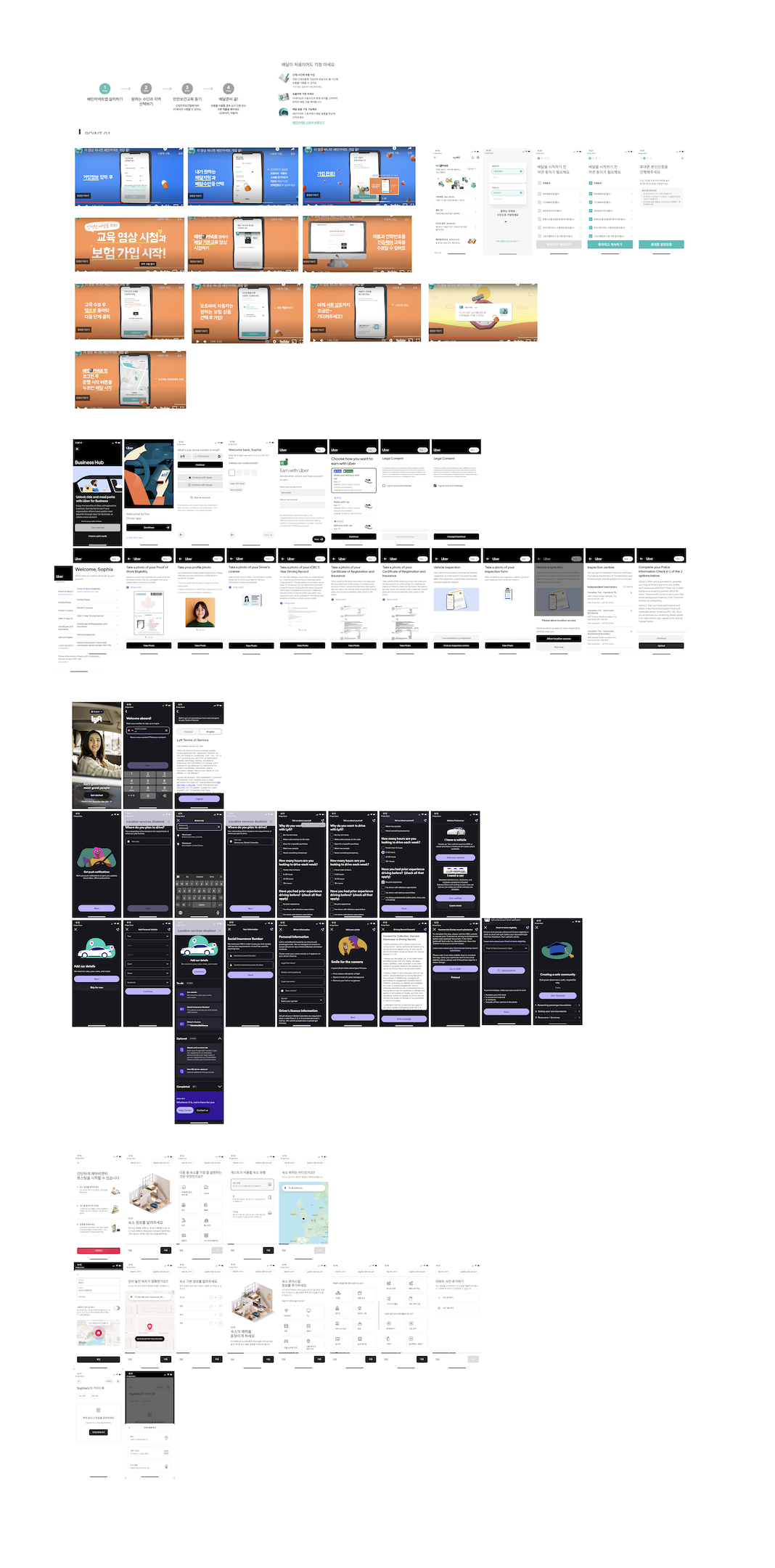
The primary goal was to establish a minimal, user-friendly onboarding flow that enables seamless, on-the-go registration. This approach focused on quick navigation, reducing friction, and respecting users' time while ensuring compliance and security.
This user flow map outlines the step-by-step driver registration process, ensuring a seamless onboarding experience by guiding users through verification, compliance, and mandatory information submission.
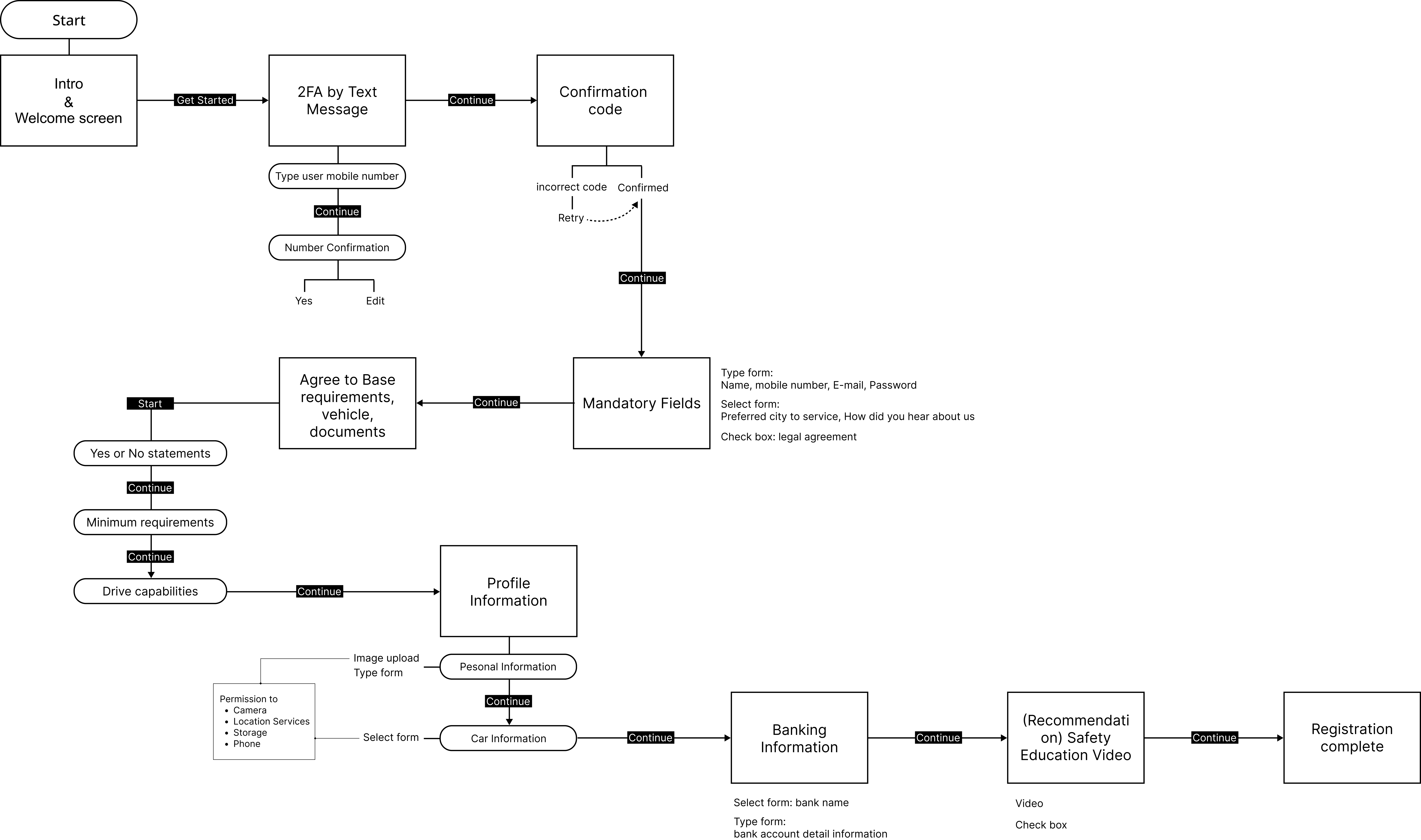
I analyzed the flow to identify and eliminate unnecessary steps, creating a more efficient and streamlined user journey.

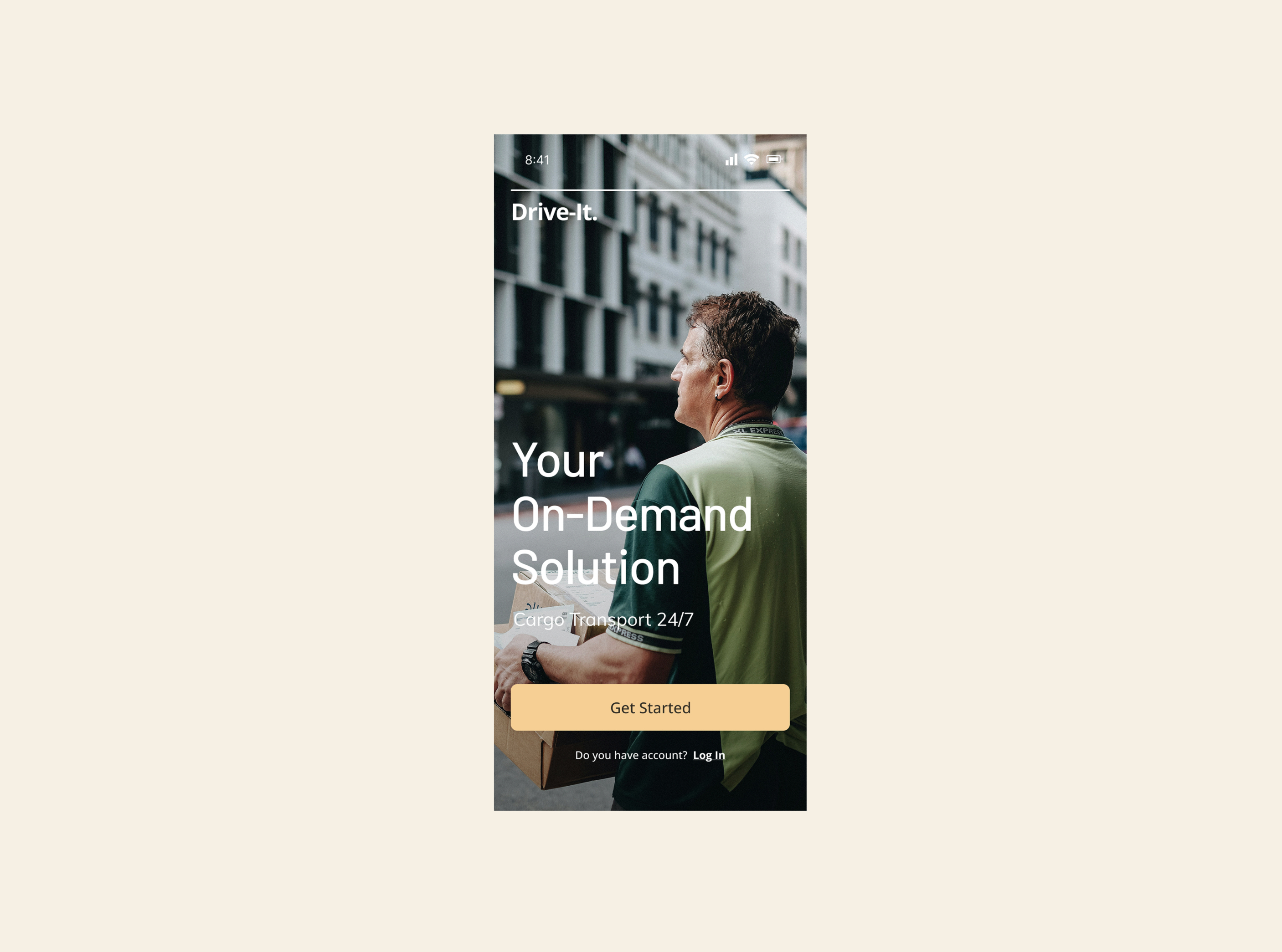
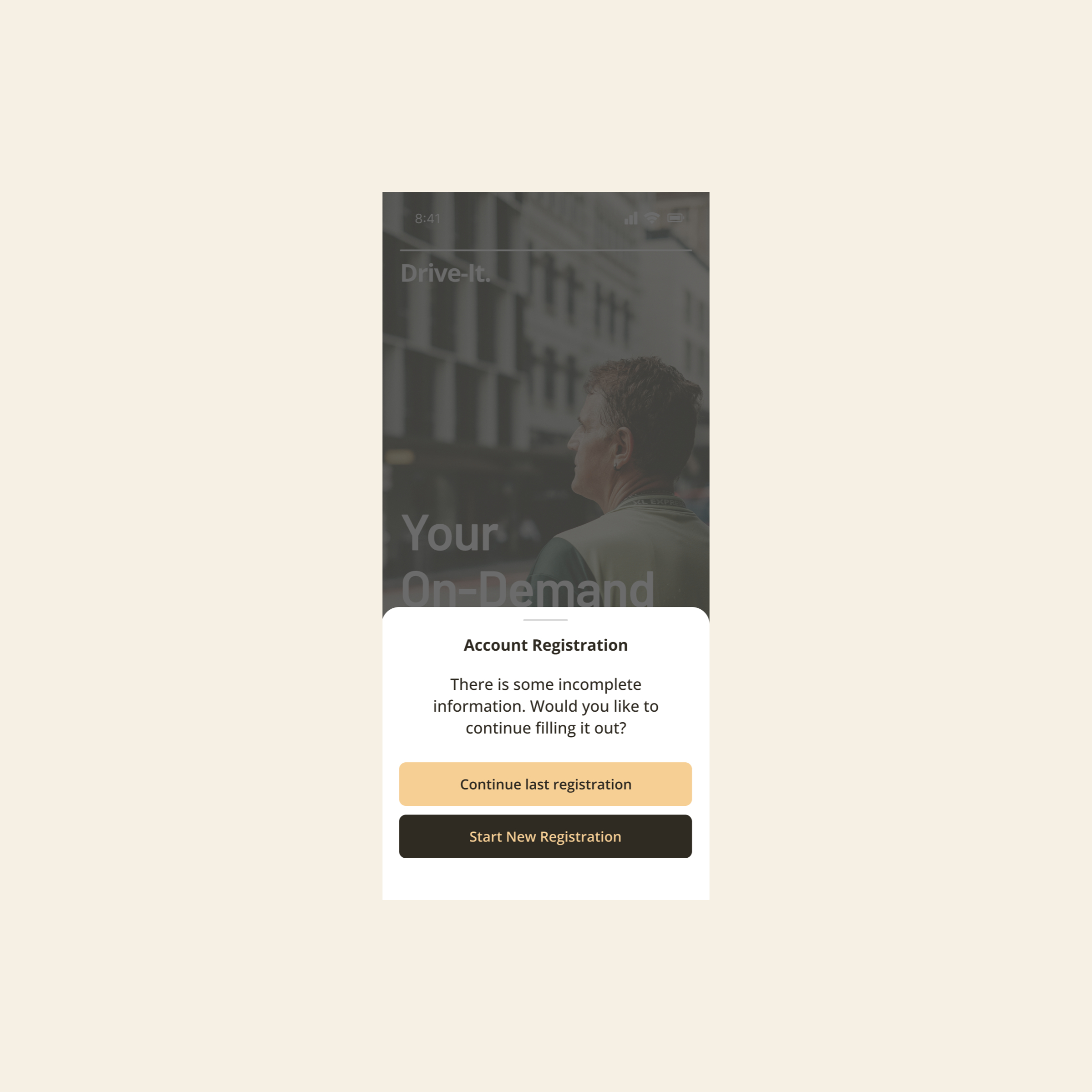
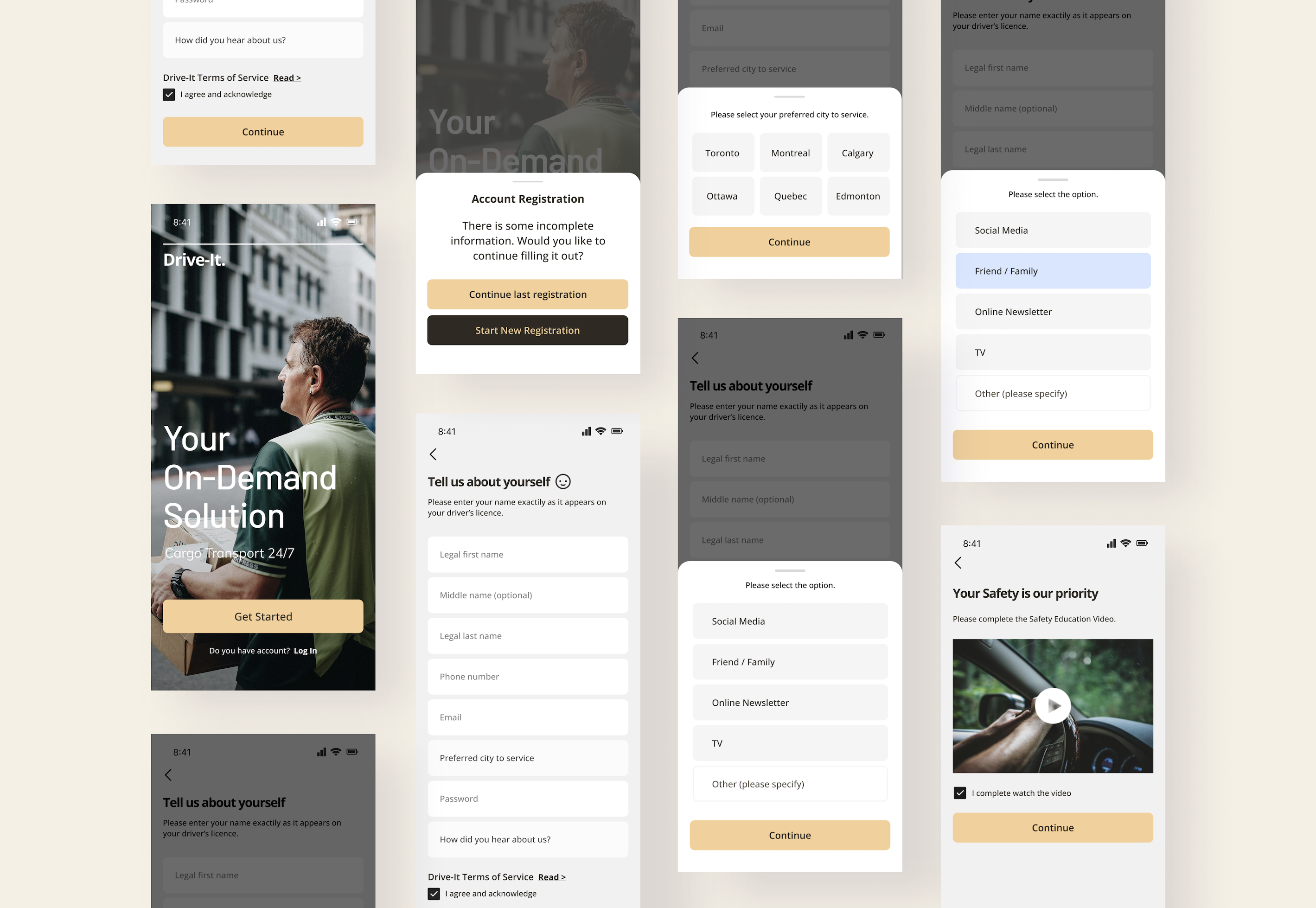
This short-term project was a valuable experience, allowing me to define and streamline the driver registration process. By eliminating unnecessary steps and integrating Two-Factor Authentication (2FA), I improved both usability and security.
✅ User-centered design builds trust – A simplified registration flow not only saved users time but also boosted engagement and confidence in the platform.
✅ Efficiency drives scalability – Optimizing workflows and focusing on core essentials laid a strong foundation for future platform growth.




I am currently available for new projects and collaborations, bringing a wealth of experience in crafting innovative, user-centered designs